Swagger UI configure करें
🌐 एआई और मनुष्यों द्वारा किया गया अनुवाद
यह अनुवाद मनुष्यों के मार्गदर्शन में एआई द्वारा किया गया है। 🤝
इसमें मूल अर्थ को गलत समझने या अप्राकृतिक लगने आदि जैसी गलतियाँ हो सकती हैं। 🤖
आप हमें एआई LLM को बेहतर मार्गदर्शन करने में मदद करके इस अनुवाद को बेहतर बना सकते हैं।
आप कुछ अतिरिक्त Swagger UI parameters configure कर सकते हैं।
इन्हें configure करने के लिए, FastAPI() app object बनाते समय या get_swagger_ui_html() function में swagger_ui_parameters argument pass करें।
swagger_ui_parameters एक dictionary प्राप्त करता है जिसमें configurations सीधे Swagger UI को pass की जाती हैं।
FastAPI configurations को JSON में बदलता है ताकि वे JavaScript के साथ compatible हों, क्योंकि Swagger UI को यही चाहिए।
Syntax Highlighting disable करें
उदाहरण के लिए, आप Swagger UI में syntax highlighting disable कर सकते हैं।
Settings बदले बिना, syntax highlighting default रूप से enabled रहती है:
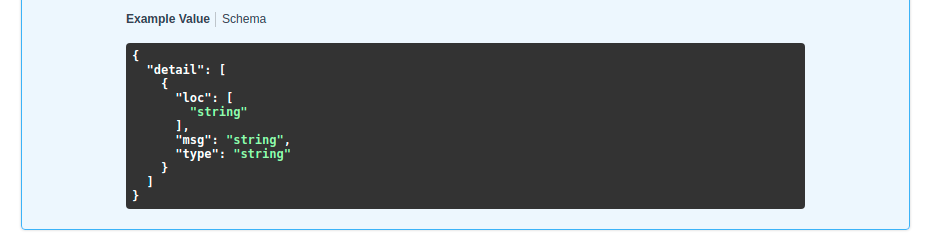
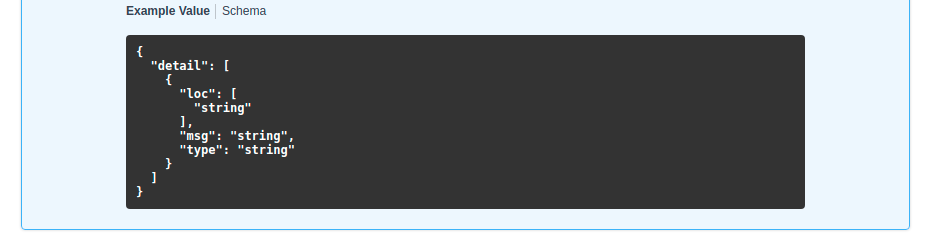
लेकिन आप syntaxHighlight को False पर set करके इसे disable कर सकते हैं:
from fastapi import FastAPI

app = FastAPI(swagger_ui_parameters={"syntaxHighlight": False})


@app.get("/users/{username}")
async def read_user(username: str):
    return {"message": f"Hello {username}"}
...और फिर Swagger UI अब syntax highlighting नहीं दिखाएगा:
Theme बदलें
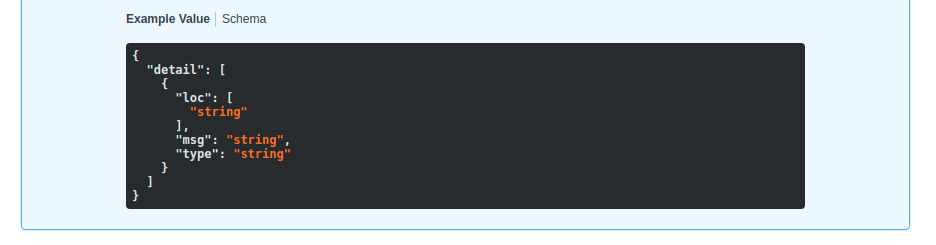
इसी तरह आप key "syntaxHighlight.theme" के साथ syntax highlighting theme set कर सकते हैं (ध्यान दें कि इसके बीच में एक dot है):
from fastapi import FastAPI

app = FastAPI(swagger_ui_parameters={"syntaxHighlight": {"theme": "obsidian"}})


@app.get("/users/{username}")
async def read_user(username: str):
    return {"message": f"Hello {username}"}
वह configuration syntax highlighting color theme बदल देगी:
Default Swagger UI Parameters बदलें
FastAPI में ज़्यादातर use cases के लिए उपयुक्त कुछ default configuration parameters शामिल हैं।
इसमें ये default configurations शामिल हैं:
# Code above omitted 👆

def _html_safe_json(value: Any) -> str:
    """Serialize a value to JSON with HTML special characters escaped.

    This prevents injection when the JSON is embedded inside a <script> tag.
    """
    return (
        json.dumps(value)
        .replace("<", "\\u003c")
        .replace(">", "\\u003e")
        .replace("&", "\\u0026")
    )


swagger_ui_default_parameters: Annotated[
    dict[str, Any],
    Doc(

# Code below omitted 👇
👀 Full file preview
import json
from typing import Annotated, Any

from annotated_doc import Doc
from fastapi.encoders import jsonable_encoder
from starlette.responses import HTMLResponse


def _html_safe_json(value: Any) -> str:
    """Serialize a value to JSON with HTML special characters escaped.

    This prevents injection when the JSON is embedded inside a <script> tag.
    """
    return (
        json.dumps(value)
        .replace("<", "\\u003c")
        .replace(">", "\\u003e")
        .replace("&", "\\u0026")
    )


swagger_ui_default_parameters: Annotated[
    dict[str, Any],
    Doc(
        """
        Default configurations for Swagger UI.

        You can use it as a template to add any other configurations needed.
        """
    ),
] = {
    "dom_id": "#swagger-ui",
    "layout": "BaseLayout",
    "deepLinking": True,
    "showExtensions": True,
    "showCommonExtensions": True,
}


def get_swagger_ui_html(
    *,
    openapi_url: Annotated[
        str,
        Doc(
            """
            The OpenAPI URL that Swagger UI should load and use.

            This is normally done automatically by FastAPI using the default URL
            `/openapi.json`.

            Read more about it in the
            [FastAPI docs for Conditional OpenAPI](https://fastapi.tiangolo.com/how-to/conditional-openapi/#conditional-openapi-from-settings-and-env-vars)
            """
        ),
    ],
    title: Annotated[
        str,
        Doc(
            """
            The HTML `<title>` content, normally shown in the browser tab.

            Read more about it in the
            [FastAPI docs for Custom Docs UI Static Assets](https://fastapi.tiangolo.com/how-to/custom-docs-ui-assets/)
            """
        ),
    ],
    swagger_js_url: Annotated[
        str,
        Doc(
            """
            The URL to use to load the Swagger UI JavaScript.

            It is normally set to a CDN URL.

            Read more about it in the
            [FastAPI docs for Custom Docs UI Static Assets](https://fastapi.tiangolo.com/how-to/custom-docs-ui-assets/)
            """
        ),
    ] = "https://cdn.jsdelivr.net/npm/swagger-ui-dist@5/swagger-ui-bundle.js",
    swagger_css_url: Annotated[
        str,
        Doc(
            """
            The URL to use to load the Swagger UI CSS.

            It is normally set to a CDN URL.

            Read more about it in the
            [FastAPI docs for Custom Docs UI Static Assets](https://fastapi.tiangolo.com/how-to/custom-docs-ui-assets/)
            """
        ),
    ] = "https://cdn.jsdelivr.net/npm/swagger-ui-dist@5/swagger-ui.css",
    swagger_favicon_url: Annotated[
        str,
        Doc(
            """
            The URL of the favicon to use. It is normally shown in the browser tab.
            """
        ),
    ] = "https://fastapi.tiangolo.com/img/favicon.png",
    oauth2_redirect_url: Annotated[
        str | None,
        Doc(
            """
            The OAuth2 redirect URL, it is normally automatically handled by FastAPI.

            Read more about it in the
            [FastAPI docs for Custom Docs UI Static Assets](https://fastapi.tiangolo.com/how-to/custom-docs-ui-assets/)
            """
        ),
    ] = None,
    init_oauth: Annotated[
        dict[str, Any] | None,
        Doc(
            """
            A dictionary with Swagger UI OAuth2 initialization configurations.

            Read more about the available configuration options in the
            [Swagger UI docs](https://swagger.io/docs/open-source-tools/swagger-ui/usage/oauth2/).
            """
        ),
    ] = None,
    swagger_ui_parameters: Annotated[
        dict[str, Any] | None,
        Doc(
            """
            Configuration parameters for Swagger UI.

            It defaults to [swagger_ui_default_parameters][fastapi.openapi.docs.swagger_ui_default_parameters].

            Read more about it in the
            [FastAPI docs about how to Configure Swagger UI](https://fastapi.tiangolo.com/how-to/configure-swagger-ui/).
            """
        ),
    ] = None,
) -> HTMLResponse:
    """
    Generate and return the HTML  that loads Swagger UI for the interactive
    API docs (normally served at `/docs`).

    You would only call this function yourself if you needed to override some parts,
    for example the URLs to use to load Swagger UI's JavaScript and CSS.

    Read more about it in the
    [FastAPI docs for Configure Swagger UI](https://fastapi.tiangolo.com/how-to/configure-swagger-ui/)
    and the [FastAPI docs for Custom Docs UI Static Assets (Self-Hosting)](https://fastapi.tiangolo.com/how-to/custom-docs-ui-assets/).
    """
    current_swagger_ui_parameters = swagger_ui_default_parameters.copy()
    if swagger_ui_parameters:
        current_swagger_ui_parameters.update(swagger_ui_parameters)

    html = f"""
    <!DOCTYPE html>
    <html>
    <head>
    <meta name="viewport" content="width=device-width, initial-scale=1.0">
    <link type="text/css" rel="stylesheet" href="{swagger_css_url}">
    <link rel="shortcut icon" href="{swagger_favicon_url}">
    <title>{title}</title>
    </head>
    <body>
    <div id="swagger-ui">
    </div>
    <script src="{swagger_js_url}"></script>
    <!-- `SwaggerUIBundle` is now available on the page -->
    <script>
    const ui = SwaggerUIBundle({{
        url: '{openapi_url}',
    """

    for key, value in current_swagger_ui_parameters.items():
        html += f"{_html_safe_json(key)}: {_html_safe_json(jsonable_encoder(value))},\n"

    if oauth2_redirect_url:
        html += f"oauth2RedirectUrl: window.location.origin + '{oauth2_redirect_url}',"

    html += """
    presets: [
        SwaggerUIBundle.presets.apis,
        SwaggerUIBundle.SwaggerUIStandalonePreset
        ],
    })"""

    if init_oauth:
        html += f"""
        ui.initOAuth({_html_safe_json(jsonable_encoder(init_oauth))})
        """

    html += """
    </script>
    </body>
    </html>
    """
    return HTMLResponse(html)


def get_redoc_html(
    *,
    openapi_url: Annotated[
        str,
        Doc(
            """
            The OpenAPI URL that ReDoc should load and use.

            This is normally done automatically by FastAPI using the default URL
            `/openapi.json`.

            Read more about it in the
            [FastAPI docs for Conditional OpenAPI](https://fastapi.tiangolo.com/how-to/conditional-openapi/#conditional-openapi-from-settings-and-env-vars)
            """
        ),
    ],
    title: Annotated[
        str,
        Doc(
            """
            The HTML `<title>` content, normally shown in the browser tab.

            Read more about it in the
            [FastAPI docs for Custom Docs UI Static Assets](https://fastapi.tiangolo.com/how-to/custom-docs-ui-assets/)
            """
        ),
    ],
    redoc_js_url: Annotated[
        str,
        Doc(
            """
            The URL to use to load the ReDoc JavaScript.

            It is normally set to a CDN URL.

            Read more about it in the
            [FastAPI docs for Custom Docs UI Static Assets](https://fastapi.tiangolo.com/how-to/custom-docs-ui-assets/)
            """
        ),
    ] = "https://cdn.jsdelivr.net/npm/redoc@2/bundles/redoc.standalone.js",
    redoc_favicon_url: Annotated[
        str,
        Doc(
            """
            The URL of the favicon to use. It is normally shown in the browser tab.
            """
        ),
    ] = "https://fastapi.tiangolo.com/img/favicon.png",
    with_google_fonts: Annotated[
        bool,
        Doc(
            """
            Load and use Google Fonts.
            """
        ),
    ] = True,
) -> HTMLResponse:
    """
    Generate and return the HTML response that loads ReDoc for the alternative
    API docs (normally served at `/redoc`).

    You would only call this function yourself if you needed to override some parts,
    for example the URLs to use to load ReDoc's JavaScript and CSS.

    Read more about it in the
    [FastAPI docs for Custom Docs UI Static Assets (Self-Hosting)](https://fastapi.tiangolo.com/how-to/custom-docs-ui-assets/).
    """
    html = f"""
    <!DOCTYPE html>
    <html>
    <head>
    <title>{title}</title>
    <!-- needed for adaptive design -->
    <meta charset="utf-8"/>
    <meta name="viewport" content="width=device-width, initial-scale=1">
    """
    if with_google_fonts:
        html += """
    <link href="https://fonts.googleapis.com/css?family=Montserrat:300,400,700|Roboto:300,400,700" rel="stylesheet">
    """
    html += f"""
    <link rel="shortcut icon" href="{redoc_favicon_url}">
    <!--
    ReDoc doesn't change outer page styles
    -->
    <style>
      body {{
        margin: 0;
        padding: 0;
      }}
    </style>
    </head>
    <body>
    <noscript>
        ReDoc requires Javascript to function. Please enable it to browse the documentation.
    </noscript>
    <redoc spec-url="{openapi_url}"></redoc>
    <script src="{redoc_js_url}"> </script>
    </body>
    </html>
    """
    return HTMLResponse(html)


def get_swagger_ui_oauth2_redirect_html() -> HTMLResponse:
    """
    Generate the HTML response with the OAuth2 redirection for Swagger UI.

    You normally don't need to use or change this.
    """
    # copied from https://github.com/swagger-api/swagger-ui/blob/v4.14.0/dist/oauth2-redirect.html
    html = """
    <!doctype html>
    <html lang="en-US">
    <head>
        <title>Swagger UI: OAuth2 Redirect</title>
    </head>
    <body>
    <script>
        'use strict';
        function run () {
            var oauth2 = window.opener.swaggerUIRedirectOauth2;
            var sentState = oauth2.state;
            var redirectUrl = oauth2.redirectUrl;
            var isValid, qp, arr;

            if (/code|token|error/.test(window.location.hash)) {
                qp = window.location.hash.substring(1).replace('?', '&');
            } else {
                qp = location.search.substring(1);
            }

            arr = qp.split("&");
            arr.forEach(function (v,i,_arr) { _arr[i] = '"' + v.replace('=', '":"') + '"';});
            qp = qp ? JSON.parse('{' + arr.join() + '}',
                    function (key, value) {
                        return key === "" ? value : decodeURIComponent(value);
                    }
            ) : {};

            isValid = qp.state === sentState;

            if ((
              oauth2.auth.schema.get("flow") === "accessCode" ||
              oauth2.auth.schema.get("flow") === "authorizationCode" ||
              oauth2.auth.schema.get("flow") === "authorization_code"
            ) && !oauth2.auth.code) {
                if (!isValid) {
                    oauth2.errCb({
                        authId: oauth2.auth.name,
                        source: "auth",
                        level: "warning",
                        message: "Authorization may be unsafe, passed state was changed in server. The passed state wasn't returned from auth server."
                    });
                }

                if (qp.code) {
                    delete oauth2.state;
                    oauth2.auth.code = qp.code;
                    oauth2.callback({auth: oauth2.auth, redirectUrl: redirectUrl});
                } else {
                    let oauthErrorMsg;
                    if (qp.error) {
                        oauthErrorMsg = "["+qp.error+"]: " +
                            (qp.error_description ? qp.error_description+ ". " : "no accessCode received from the server. ") +
                            (qp.error_uri ? "More info: "+qp.error_uri : "");
                    }

                    oauth2.errCb({
                        authId: oauth2.auth.name,
                        source: "auth",
                        level: "error",
                        message: oauthErrorMsg || "[Authorization failed]: no accessCode received from the server."
                    });
                }
            } else {
                oauth2.callback({auth: oauth2.auth, token: qp, isValid: isValid, redirectUrl: redirectUrl});
            }
            window.close();
        }

        if (document.readyState !== 'loading') {
            run();
        } else {
            document.addEventListener('DOMContentLoaded', function () {
                run();
            });
        }
    </script>
    </body>
    </html>
        """
    return HTMLResponse(content=html)
आप swagger_ui_parameters argument में अलग value set करके इनमें से किसी को भी override कर सकते हैं।
उदाहरण के लिए, deepLinking disable करने के लिए आप ये settings swagger_ui_parameters में pass कर सकते हैं:
from fastapi import FastAPI

app = FastAPI(swagger_ui_parameters={"deepLinking": False})


@app.get("/users/{username}")
async def read_user(username: str):
    return {"message": f"Hello {username}"}
अन्य Swagger UI Parameters
आप जिन अन्य सभी संभावित configurations का उपयोग कर सकते हैं, उन्हें देखने के लिए आधिकारिक Swagger UI parameters के docs पढ़ें।
केवल JavaScript settings
Swagger UI अन्य configurations को केवल JavaScript objects (उदाहरण के लिए, JavaScript functions) होने की भी अनुमति देता है।
FastAPI में ये केवल JavaScript presets settings भी शामिल हैं:
presets: [
    SwaggerUIBundle.presets.apis,
    SwaggerUIBundle.SwaggerUIStandalonePreset
]
ये JavaScript objects हैं, strings नहीं, इसलिए आप इन्हें सीधे Python code से pass नहीं कर सकते।
अगर आपको ऐसी केवल JavaScript configurations का उपयोग करना है, तो आप ऊपर दिए गए methods में से किसी एक का उपयोग कर सकते हैं। पूरी Swagger UI path operation को override करें और आपको जो भी JavaScript चाहिए उसे manually लिखें।